What construction safety software looks like from the field
.svg)
Quick Summary
Construction safety software runs safety programs through mobile apps. Field teams use it to run inspections, track certifications, document incidents and maintain OSHA compliance across jobsites.
In this blog we'll cover what the software does, which features matter for superintendents and how to evaluate platforms for your projects.
Safety programs run on documentation. Every inspection, every toolbox talk, every incident report creates a record that gets referenced during audits, owner meetings and subcontractor coordination.
Construction safety software stores that documentation in mobile apps. Field teams capture observations during walks, track crew certifications and maintain OSHA compliance across jobsites.
This guide covers what the software does on active sites. It explains which features matter for superintendents and how to evaluate platforms for your projects.
What is construction safety software
Construction safety software is a category of digital tools built for construction environments. The software handles safety program management, compliance documentation and incident tracking. Everything lives in a mobile app that field teams access during walks and toolbox talks.
Most platforms include four core functions:
- Inspection checklists: Digital forms for daily safety walks and equipment checks
- Incident documentation: Structured reporting for injuries, near misses and observations
- Training records: Certification tracking for crews and subcontractors
- Compliance mapping: Alignment with OSHA 1910/1926 standards
The common thread is documentation. Everything gets timestamped, geolocated and stored in a searchable record.
See how leading builders are using construction safety software on their jobsites
What safety software does on active sites
Safety inspections and observations
During daily walks, field teams open the app and follow standardized checklists. They photograph conditions and log findings by location. The same checklist runs on every project, so documentation stays consistent across sites and superintendents.
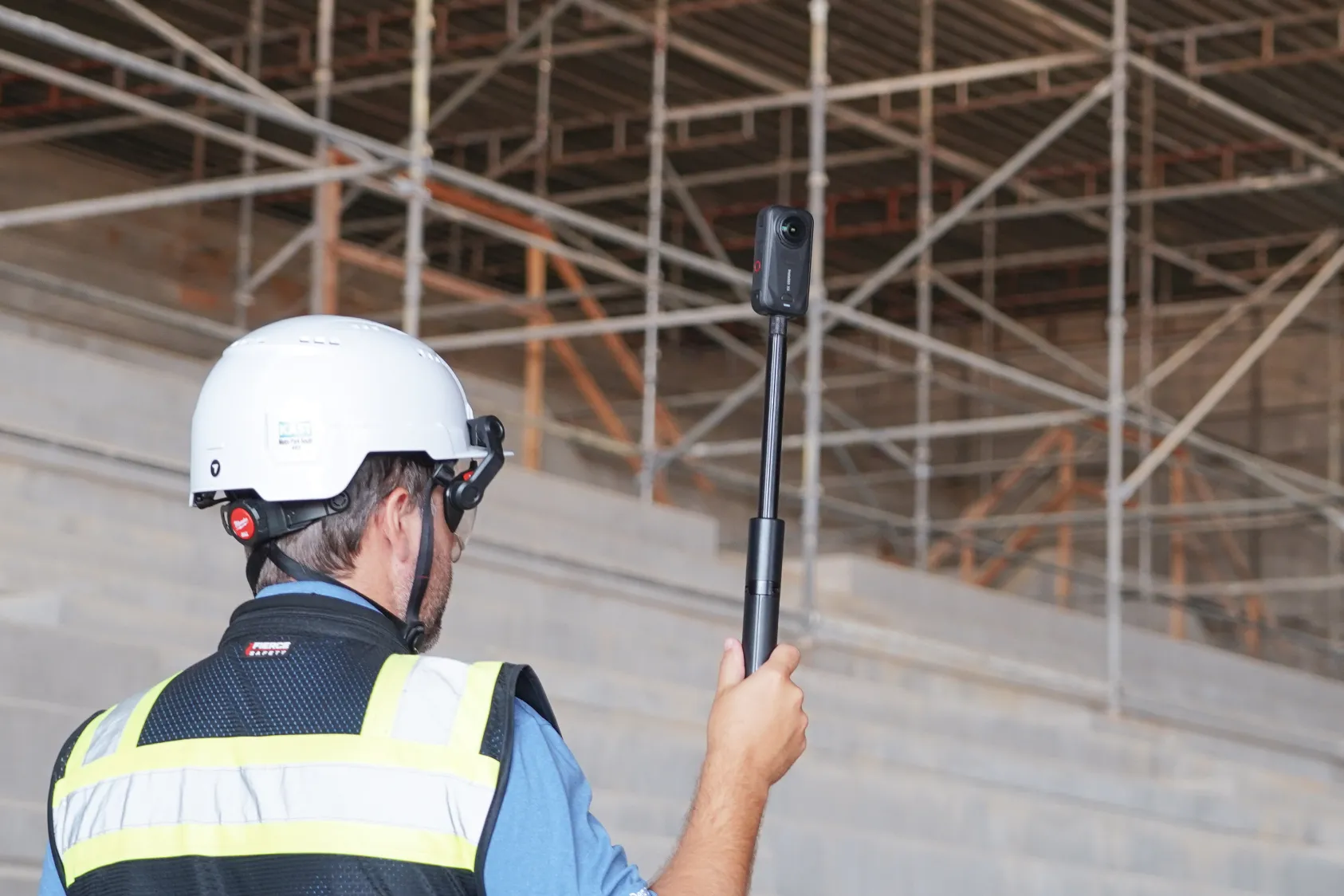
Inspections can be scheduled or ad-hoc. Either way, the record captures who walked, when and what they observed. Learn more about 360 visual inspections with DroneDeploy.
Incident and near miss documentation
When something happens, the software provides a structured form. Photos, witness statements, location data and timestamps all go into the same record.
Reports feed into dashboards where safety directors review trends across the portfolio. See how DroneDeploy Ground supports site documentation and safety compliance.
Training and certification tracking
Every worker on site has certifications with expiration dates. Safety training software tracks completion status and flags when credentials are about to lapse. Superintendents can verify qualifications before assigning tasks.
Toolbox talks and JHAs
Job Hazard Analyses (JHAs) document the specific risks associated with a task before work begins. Crews receive digital toolbox talks, acknowledge them and store the records. The acknowledgment record shows who attended and when.
Key features of construction site safety software
- Mobile app access: Run safety programs from phone or tablet. Field teams work where they are.
- Offline functionality: Capture data without cell signal. Remote sites stay documented.
- OSHA standards mapping: Ties findings to specific regulations. Simplifies compliance documentation.
- Photo/video capture: Attaches visual evidence to records. Conditions are recorded as they exist.
- AI-powered detection: Identifies hazards in imagery. Observations happen at scale.
- Multi-site dashboards: Aggregates safety data across projects. Standardization across portfolio.
How visual capture adds depth to safety programs
360 walkthrough analysis
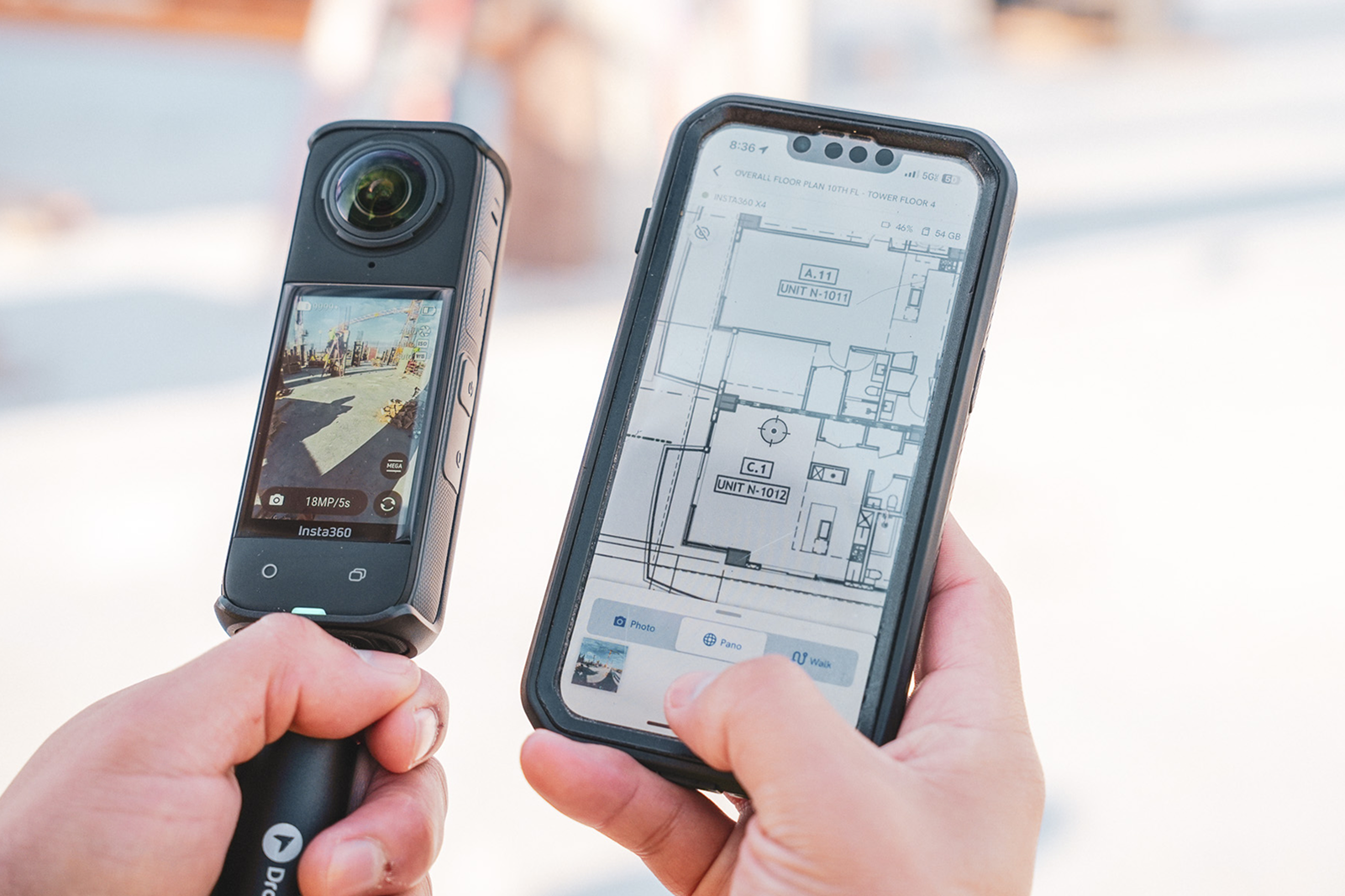
360 cameras capture site conditions during regular walks. Imagery gets mapped to floor plans or site drawings by location and date. This creates a visual record that can be reviewed later when questions come up about conditions at a specific time.
Automated risk identification
AI models scan 360 imagery to identify potential hazards. Findings include specific items: guardrails, fall protection, housekeeping, PPE compliance. Reports reference OSHA standards and include the imagery where the observation was made.
The same criteria apply across projects. This includes projects with experienced safety managers and those where superintendents handle safety oversight. The record stays consistent.
How to choose construction safety management software
1. Define what field crews need daily
Start with actual field requirements. What do foremen need on their phones? What do superintendents need during walks?
Evaluation starts with practical daily usage requirements.
2. Evaluate OSHA compliance capabilities
Check whether the platform maps to OSHA 1910/1926. Verify that reports reference specific standards. This creates documentation that references specific standards during audits.
3. Check integration with existing software
Common integrations include Procore, Autodesk and document storage systems. Construction safety software that connects to existing workflows avoids creating new silos.
4. Assess mobile usability
Can foremen complete inspections quickly? Does the app work without cell signal? Is training minimal for field adoption?
5. Consider scalability
If you run multiple jobsites, look for platforms that support enterprise deployment. The same checklists, protocols and reporting structures apply across every project.
How construction safety software supports OSHA compliance
Construction safety platforms create the documentation trail that OSHA compliance requires:
- Inspection records: Dated, signed documentation of safety walks
- Training verification: Proof of completed safety training by worker
- Incident reports: Structured documentation meeting recordkeeping requirements
- Corrective actions: Tracked resolution of identified hazards
- Audit trails: Timestamped history of safety program activities
The record exists whether or not an audit happens. When questions come up months later, the documentation is there.
What consistent safety documentation looks like
On sites using construction safety software, the record accumulates over time. Every inspection, every incident, every toolbox talk gets stored in the same system. Explore how construction progress tracking connects field data to project records.
Safety observations from 360 walks sit alongside progress documentation. The visual record captures site conditions throughout the project lifecycle.
Teams reference the documentation during owner meetings, subcontractor coordination and closeout. Captured once. Revisited when needed.
Next steps: If you're evaluating how AI-powered safety analysis integrates with reality capture, explore DroneDeploy Safety AI.
FAQ
Safety software for subcontractors integrates with general contractor systems and supports mobile-first documentation without requiring extensive IT infrastructure.
EHS (Environment, Health, Safety) software covers broader organizational compliance including environmental regulations. Construction health and safety software focuses specifically on jobsite safety requirements and OSHA construction standards.
No. AI analysis processes visual data at scale. It flags potential hazards for human review by safety managers. Safety professionals remain responsible for program oversight and corrective action decisions.
Most construction safety management apps are designed for minimal training. Field crews already understand safety processes. Field crews typically adopt the software within a few days of introduction on site.
Yes. Most construction safety apps support offline functionality and sync data when connectivity returns.
Related articles
Ready to learn more?
Contact sales to see how DroneDeploy can give your teams the power to document and analyze your sites from the air and ground – all in one AI-powered platform.